Your Inbox
Inbox is where your email and text conversations land side by side, with the lead's record attached, so you are not switching tools to keep a thread going.
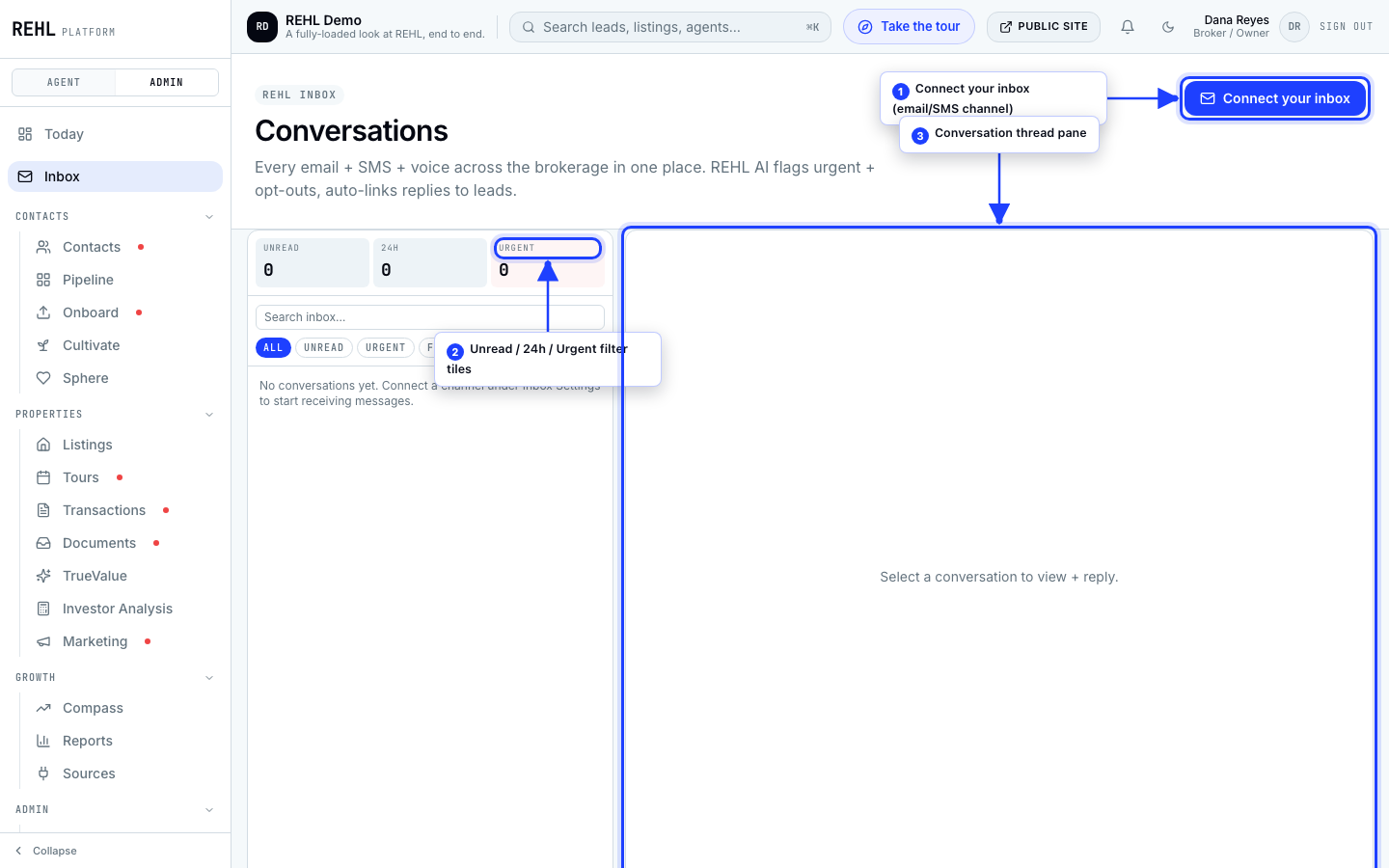
How the page is laid out
- Three counters up top: unread threads, inbound messages in the last 24 hours, and how many REHL AI marked urgent.
- The thread list on the left. Each row shows who it is from, the channel, the lead's temperature when there is one, what REHL AI made of it, and the unread count.
- The conversation on the right, with the reply box underneath.
The filters
Five, and that is the whole set: All, Unread, Urgent, Follow up, and Spam. The search box next to them searches sender name, email, phone, subject, the last message, and the lead's name.
There is no filter for opt-outs, even though REHL AI does label them. To find those, look for the opt-out tag on a thread row rather than reaching for a filter that is not there.
What you see is the brokerage's
Inbox shows threads across your brokerage, not only your own. Whether that is narrowed to just your leads depends on the lead visibility mode your broker has set.
Archiving a thread hides it from the list. It does not delete anything and it does not tell the other person.
Need more help? Contact support.