Import your sphere and past clients
Bring your book with you on day one. REHL imports your contacts from a CSV. Your sphere and past clients go into Nurture, and active buyers you want in the pipeline use the separate Onboard import.
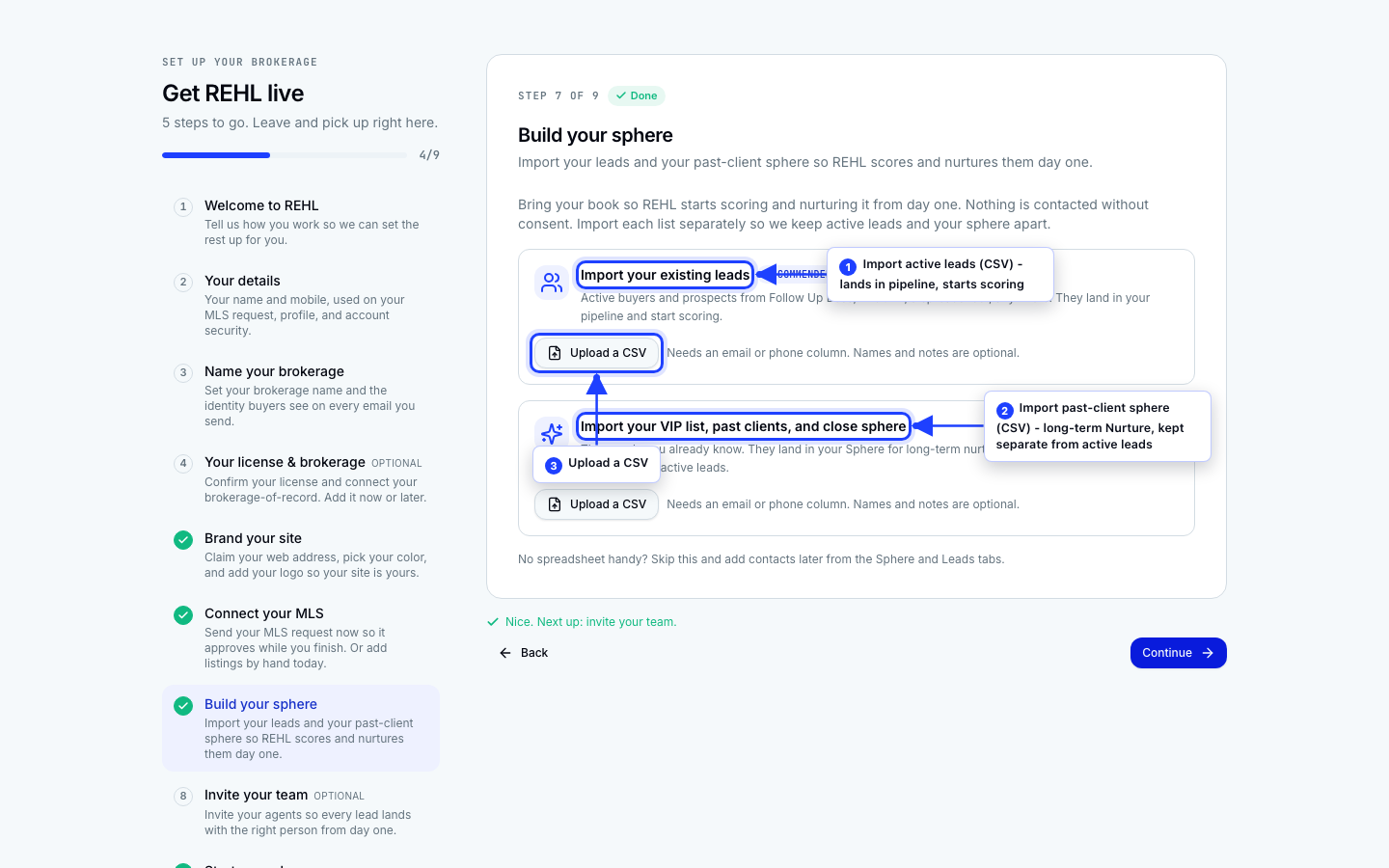
Two separate imports
Sphere and past clients
Your sphere and closed clients. Upload them on the Nurture import screen. They land in Nurture for lighter, long-horizon touches rather than active-buyer cadences. This is the import shown above.
Active buyers for the pipeline
Buyers you are already working. Upload them on the separate Onboard import under Pipeline. These enter the pipeline, where they can be scored and cultivated.
How the sphere import reads your file
There is no column-mapping step. REHL matches your headers to its fields by name, ignoring capitalization, spaces, and punctuation, so "Full Name", "full_name", and "fullname" all resolve the same way. Only a name column is required. Every other column is optional.
- Name is read from full_name, name, contact_name, or client_name.
- Email is read from email or email_address.
- Phone is read from phone, phone_number, mobile, or cell.
- Also recognized: address_line1, city, state, zip, birthday, home_anniversary, relationship_kind, tier, and notes.
REHL also sorts the batch for you. If your file includes both a closing_date column and an agent_email column, those rows import as past clients and seed re-engagement scoring, and each past-client row must carry an email or a phone number (a row with neither is skipped). Without those columns, rows import as sphere contacts, where a name is the only field a row needs. There is no bucket to pick.
If a column is not recognized
A header REHL does not recognize is ignored, and that data is not imported. If a field you expected did not come through, rename that column to one of the names above and upload again. The surest way to get the headers right is to start from the template on the import screen (there is one for sphere and one for past clients) and paste your data into it.
Nothing sends automatically. Sphere and past-client contacts from the Nurture import sit dormant until you turn on a Nurture cadence. Pipeline leads from the Onboard import sit dormant until you enroll them, which moves them onto your working list so they can appear in your daily brief and lead list. Enrolling by itself starts no cadence: Cultivate outreach begins separately, per lead. Either way, you import first and decide on outreach later.
Migrating from Follow Up Boss or kvCORE
This is a separate wizard from both imports above. Go to Brokerage sources, then Migrate. Upload your export and REHL detects whether it is Follow Up Boss or kvCORE, matches its columns to REHL's fields for you, skips duplicates, and shows you a review step before anything is committed. These contacts land in your pipeline as leads, the same destination as the Onboard import, not in Nurture.
Need more help? Contact support.