White-label branding for your buyer site
The Brand tab of REHL Studio controls the top of your buyer site: the photo, the words over it, and the team buyers meet.
Who gets it
White-label branding is included on Power and Brokerage Scale. On other plans, this part of the Brand tab shows an upgrade panel instead of the editor.
It changes how your site at your-firm.rehl.us looks. The address itself stays the same.
What you can set
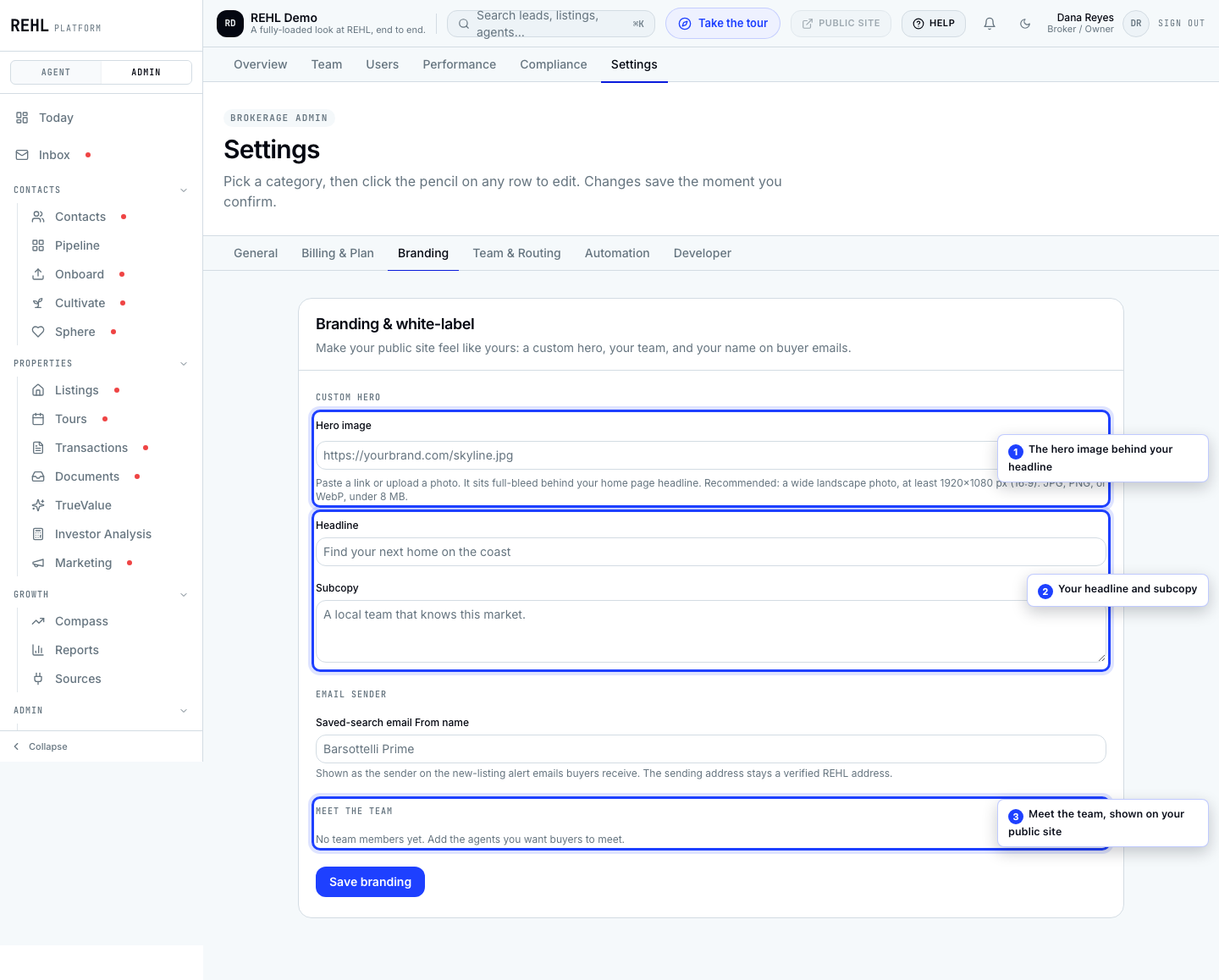
- Hero image: the photo across the top of your buyer site.
- Headline: the main line over the hero.
- Subcopy: the supporting line under the headline.
- Meet the team: the roster of agents buyers see, each with a name and title.
- Saved-search email From name: the name on the alert emails your saved searches send.
Any one of the three, hero image, headline, or subcopy, is enough to replace the default hero with your own. Fill in only subcopy and the hero still switches over: it borrows the default headline (Find your next home with your brokerage name) and renders with no photo, carrying your sentence.
Where to find it
Open REHL Studio in the left nav and pick the Brand tab. These controls used to be a Branding category inside brokerage settings; that address still works and sends you here.
Your logo and colors are on this same tab now, in the brand kit above the site controls, so your Studio designs and your buyer site cannot disagree about them. Your brokerage display name, tagline and primary color are also still editable in the Brand section of General settings.
Need more help? Contact support.